Everlyce OS
A calmer, more
original computer.
Everlyce OS is a small desktop operating system built from scratch: its own kernel, window manager, dock, settings, and apps. Boot it in a virtual machine and try the live desktop — no installation required.
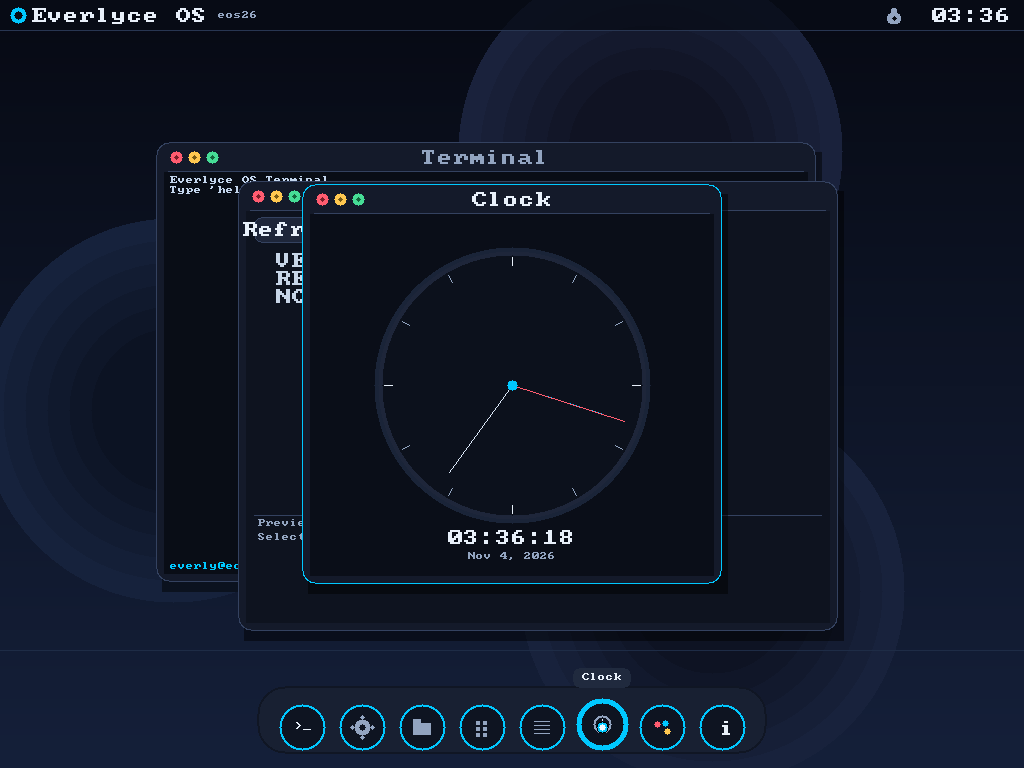
Original desktop
An Orbit dock, a quiet top ribbon, and floating glass windows. Designed to feel different from every desktop you already know.
Real apps
Terminal, Files, Notes, Calculator, Clock, Paint, Settings and About — all running natively on the Everlyce kernel.
Persistent disk
Notes and files are saved to a FAT16 disk image, so they survive a reboot.
Updates
Settings → Update checks a version feed and shows what's new, just like a big desktop OS.
Run it in QEMU
Download the ISO above, then boot it with a writable disk for Notes:
qemu-system-x86_64 \
  -boot order=d \
  -cdrom everlyceos.iso \
  -drive file=everlyceos-disk.img,format=raw,if=ide \
  -m 512M -vga std
New to QEMU? Install it with sudo apt install qemu-system-x86
(or the equivalent for your platform). You can also import the ISO into VirtualBox or VMware.
The live desktop starts automatically. Pick Try Live or
Install from the welcome window. To unlock the demo lock screen, the password is
everlyceos.
Update feed
Build artifacts and update metadata are also available from the
update service on port 7380:
curl https://update.os.everlyce.com/version.json
curl -O https://update.os.everlyce.com/everlyceos.iso